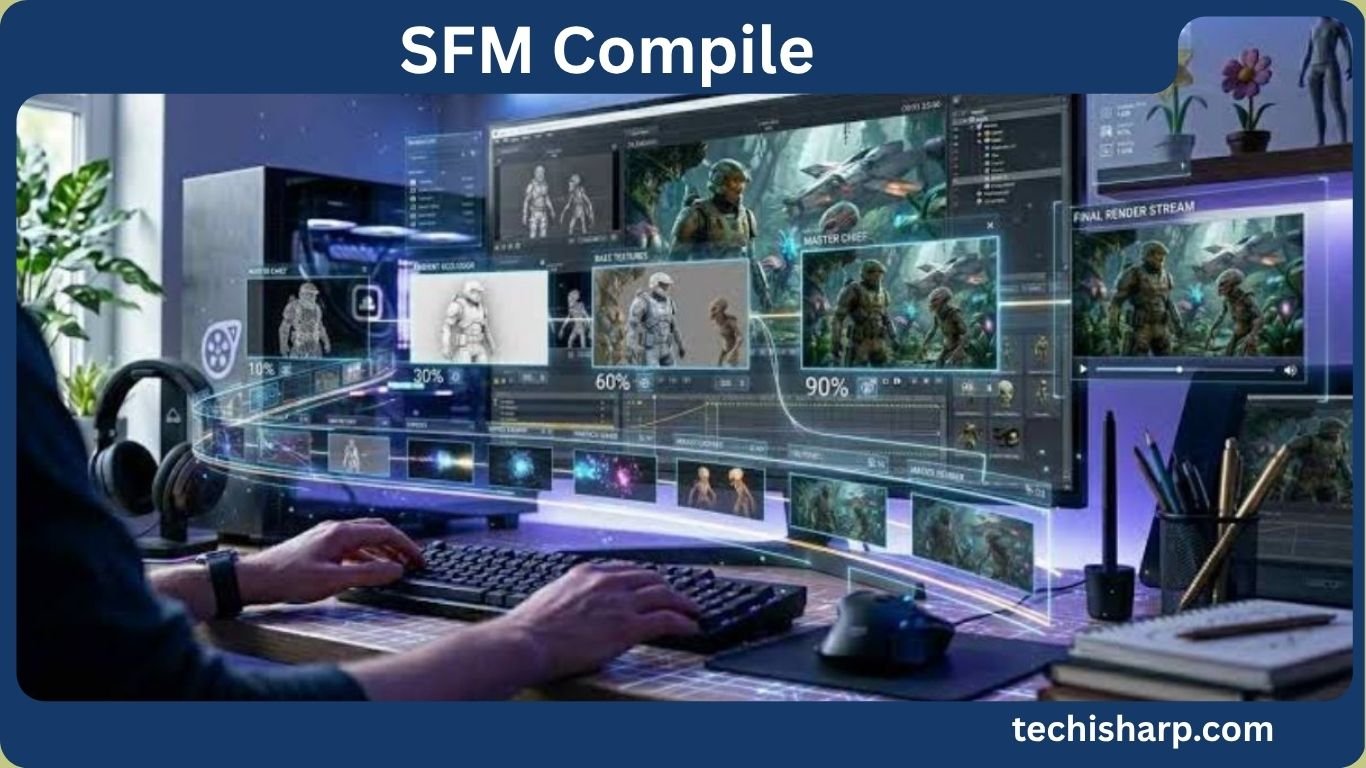
SFM Compile: Complete Guide to Source Filmmaker Model Compilation
The term “SFM compile” can mean different things depending on where it appears online. In the technical world, it most commonly refers to the process of compiling custom models and other assets for Source Filmmaker, often shortened to SFM. Source Filmmaker is a video-making and animation tool built around Valve’s Source engine technology.
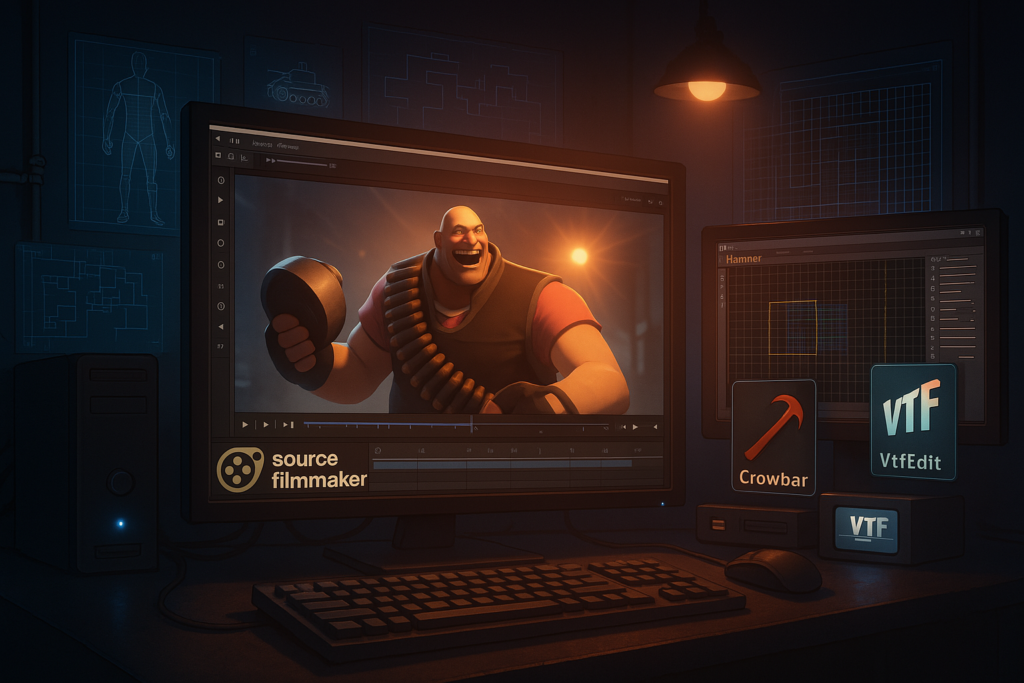
For artists and creators, SFM compile is an important part of bringing a custom 3D model from a program such as Blender or another 3D editor into a format that Source Filmmaker can use. The process may involve exported model files, materials, animation data, a QC configuration file, and Valve’s StudioMDL compiler. Community tools such as Crowbar are also commonly used to make the compilation process easier.
At the same time, “sfm compile” has developed a wider online search presence. Some people use terms such as sfmcompile, smf compile, sfmcomp, sfm compile club, or sfmcompile club when looking for information, communities, files, or pages associated with SFM-related searches. Some variations can also lead toward adult or NSFW search results.
That difference in search intent is important.
A search term does not automatically tell you that every result associated with it is trustworthy, official, or even related to the same subject. Users should understand the context behind a keyword before opening unfamiliar websites, downloading files, or sharing personal information.
This guide explains the technical meaning of SFM compile, how model compilation works, why people search for the term, how spelling variations appear, and what users should know about safety, privacy, copyright, and digital literacy in 2026.
What Is SFM Compile?
SFM compile generally refers to the process of converting or preparing 3D assets so they can be used by Source Filmmaker.
A model created in Blender, Maya, or another 3D program is not automatically ready for SFM. Source Filmmaker expects assets to follow the structure and formats used by the Source engine. Compilation helps transform source assets into the binary model files that SFM can load.
In simple terms:
3D model → exported source files → QC instructions → StudioMDL compilation → SFM-ready model
The exact workflow can vary depending on the model, exporter, animation setup, materials, and version of the tools being used.
The process may involve files such as SMD, DMX, VTA, QC, MDL, VTF, and VMT. Each file has a different role.
For example, a QC file provides instructions to the model compiler. It can specify the model name, body data, materials, animations, sequences, and other properties. The compiler then processes those instructions and produces the model files used by the Source engine.
Community discussions about Source Filmmaker repeatedly show that incorrect QC paths, missing files, material paths, and compiler configuration are common causes of failed model compilation.
What Is Source Filmmaker?
Source Filmmaker, usually called SFM, is Valve’s filmmaking and animation software based on the Source engine.
It allows creators to build scenes using models, cameras, lights, animations, particles, sound, and other assets. The software became popular among machinima creators, animators, game-content creators, and Source-engine communities.
Because SFM supports custom assets, users have developed workflows for importing models from external 3D applications.
This is where SFM compilation becomes important.
A custom model needs to be structured in a way that the Source engine understands. The compilation process creates the necessary model files so the asset can appear inside the SFM interface.
SFM continues to have an active community presence. Current Steam community discussions still include questions about Blender imports, model compilation, animation compatibility, and asset problems.
How Does SFM Model Compilation Work?
Although individual workflows differ, the general process can be explained in several stages.
1. Create or Prepare the 3D Model
The process usually begins with a model created or edited in a 3D application.
Also Read:Scooters Menu: Complete Guide to Drinks, Food & Prices
Blender is a popular choice because it supports modeling, rigging, animation, materials, and exporting. Other applications can also be used.
At this stage, the creator checks the model’s geometry, bones, textures, materials, and animations.
2. Export the Model
The model is exported into a format that Source tools can process.
Depending on the workflow, this can include formats such as SMD or DMX.
The exported files need to be placed in locations where the compilation tools can find them.
A common beginner mistake is assuming that exporting a model is the same as compiling it.
It is not.
Exporting creates source asset files. Compilation processes those files into the engine-ready model structure.
3. Create a QC File
A QC file acts like an instruction sheet for the model compiler.
It can tell the compiler things such as:
- What the model should be called
- Which model files should be included
- Where materials are located
- Which animations should be used
- Which sequences should be created
- Whether the model is a static prop
- How certain model features should be handled
A simple mistake in a QC file can stop the entire compilation.
That is why experienced SFM users often recommend checking the QC file and the compilation log when a model does not work.
4. Run the Model Compiler
The actual compilation is performed by StudioMDL.
Tools such as Crowbar can provide a graphical interface for working with the compiler and viewing compilation output. Steam community discussions explain that Crowbar is commonly used as a front end for StudioMDL rather than being the underlying model compiler itself.
The compiler reads the QC file and processes the referenced assets.
If everything is configured correctly, it produces the compiled model files.
5. Place the Compiled Files Correctly
After successful compilation, the resulting files must be placed in the appropriate SFM game directory.
The directory structure matters.
A technically correct model can appear to be broken if the compiled files are placed in the wrong location.
This is one reason beginners sometimes believe that “SFM compile” itself failed when the actual problem is file organization.
6. Test the Model in SFM
The final step is to open Source Filmmaker and test the model.
The creator should check:
- Model visibility
- Textures
- Materials
- Bones
- Animation
- Facial controls
- Bodygroups
- Scale
- Rotation
- Position
- Lighting behavior
A successful compilation does not always guarantee a perfect result.
Some problems only become visible after the model is loaded into SFM.
Why Do Blender Models Need Compilation for SFM?
Blender and Source Filmmaker do not use exactly the same asset pipeline.
Blender is a general-purpose 3D creation application. Source Filmmaker works with Source-engine asset structures.
That means a Blender project file cannot simply be copied into SFM and expected to work.
The model must pass through an appropriate export and compilation workflow.
Community SFM discussions describe users exporting models from Blender and then compiling DMX or SMD data into MDL files for use in Source Filmmaker.
This is why the term sfm compilation is useful.
It describes the technical bridge between a creator’s original asset and the format expected by SFM.
SFM Compiled Files Explained
A compiled SFM model can involve several related files.
The most important format for the finished model is generally MDL.
Other files can contain supporting information.
For example, an SMD file may contain model geometry, bones, or animation information depending on how it is created.
DMX can also be used in Source workflows to represent model and animation data.
VTA files may be associated with vertex animation and facial expressions.
QC files are configuration files used by the compiler.
Materials may use Source’s texture and material systems, including VTF and VMT files.
The exact combination depends on the model and the features it uses.
This is why searching for “sfm compiled” files without understanding their structure can be confusing. A finished asset may consist of several related files rather than one standalone file.
SFM Compile Tools
Several tools can appear in SFM compilation discussions.
StudioMDL
StudioMDL is the underlying Source model compiler used to process QC instructions and source model data.
It is an important part of the technical compilation pipeline.
Crowbar
Crowbar is a community tool frequently used for Source-engine model work.
It can make compilation and decompilation tasks easier and provides useful output when troubleshooting.
SFM community discussions regularly mention Crowbar when users encounter compilation errors.
Blender Source Tools
Blender can be used with Source-related tools to prepare models for Source-engine workflows.
The exact setup depends on the Blender version and the tools being used.
Modern users should always check the documentation associated with the particular tool version they have installed because older tutorials may describe outdated menus, paths, or workflows.
Common SFM Compile Problems
SFM compilation can be difficult for beginners because several separate systems have to work together.
Missing Files
One of the most common problems is a missing referenced file.
For example, if a QC file references a DMX or SMD file that is not in the expected location, StudioMDL cannot continue.
A real SFM troubleshooting discussion shows a compiler reporting that it could not load a referenced DMX file. After the filename issue was corrected, the model could be compiled.
Incorrect File Paths
Windows paths and Source directories can be confusing.
A model may exist on the computer, but the compiler may still be unable to find it if the path in the QC file is incorrect.
Material Problems
A model can compile successfully while its textures appear missing or incorrect.
This often points toward material paths, texture files, or VMT/VTF configuration rather than the model compiler itself.
Scale and Rotation Problems
A model may appear rotated, too large, too small, or positioned incorrectly.
Transform problems can originate in the original 3D application.
Applying transformations before export can sometimes prevent unexpected results, although the exact solution depends on the asset and workflow.
Too Much Geometry
Very complex models can create compilation problems.
High polygon counts, excessive bodygroups, modifiers, or other complex structures can cause problems for older Source-engine pipelines.
Community troubleshooting has specifically discussed excessive geometry and modifiers as potential sources of model compiler failures.
Facial Animation Problems
Facial animation can require additional preparation.
A model may successfully import with skeletal animation while its facial animation does not behave correctly.
Current SFM community discussions continue to include questions about bringing facial animation and shape-key based animation from Blender into SFM.
Why the SFM Compile Log Matters
When an SFM compile fails, the compile log is one of the most useful sources of information.
Instead of repeatedly changing random settings, users should first read the error message.
The log can reveal:
- Missing files
- Invalid commands
- Incorrect paths
- Unsupported data
- QC syntax problems
- Compiler failures
- Material problems
A Steam discussion about compiling a model specifically points out that the compile log is the first place to look because it can explain why the compilation stopped.
This is a useful lesson for beginners:
Do not treat an error message as a failure to understand. Treat it as diagnostic information.
How People Search for SFM Compile
People do not always type the same version of a keyword.
Common searches include:
- sfm compile
- sfmcompile
- smf compile
- sfmcomp
- sfm compile club
- sfmcompile club
- sfmcompileclub
- sfm compileclub
- sfm compile.club
- sfmcompile.club
- sfm compilation
- sfm compiled
- compilesfm
These variations can come from spelling habits, brand-like names, domain searches, community terminology, or autocomplete behavior.
The keyword “smf compile” is particularly interesting because it reverses the order of two letters in SFM. Search engines can often understand such variations, but users should still recognize that SMF and SFM can refer to different things in other technology contexts.
SFM Compile Search Variations and Typos
Search data often contains spelling mistakes.
Examples can include:
- sfm complie
- sfm compule
- sfmcomplie
- sfm conpile
- sfm compil
- sfm compilr
- sfm compole
- sfmcompil
- sfmcompilr
- sfmcompike
- sfm comoile
- sfm compike
- sfmcomlile
- sfm cimpile
- sfm copile
- sfm comile
- sfm compille
- sfmcompiel
- sfmcopile
- sfmvompile
- sfmcompild
- sfm fompile
- sfm clmpile
- sfm cmpile
- sfmcombile
These should not be treated as separate topics.
Also Read:Caribou Menu: Complete Caribou Coffee Menu Guide
They are mainly evidence of how people type and search.
For SEO purposes, repeating every typo many times would make an article difficult to read and could create an unnatural experience. A better approach is to use the primary keyword naturally and mention a few important variations in a dedicated search-variation discussion.
What Does SFM Compile Club Mean?
The phrase “sfm compile club” can appear as a search variation connected with the broader sfm compile keyword.
Similarly, people may search for:
- sfmcompile club
- sfmcompileclub
- sfm compileclub
- sfmcompile.club
These terms should not automatically be treated as official names for Source Filmmaker or Valve.
A keyword can become popular because users repeatedly search for it. That does not prove that the phrase represents an official organization, software product, or authorized Valve service.
This is an important distinction when evaluating search results.
If a page uses “SFM Compile Club” in its title, users should independently check what the page actually provides before trusting it.
Why SFM Compile Appears in Search Results
There are several reasons why SFM-related terms can appear across search engines.
First, Source Filmmaker has a long-running creator community.
Second, users frequently search for tutorials, model tools, troubleshooting information, and custom assets.
Third, the same keyword may be used by unrelated websites or communities.
Fourth, search engines group related phrases based on user behavior. This means a single keyword can have several different search intents.
The phrase “sfm compile” therefore should not be interpreted from one search result alone.
Users should look at the page title, description, domain, content, file type, and reputation before deciding whether a result is relevant.
Why Search Intent Matters
Search intent describes what a person is actually trying to find.
For “sfm compile,” the intent may be technical.
A user may want to:
- Compile a Blender model
- Understand a QC file
- Fix a StudioMDL error
- Use Crowbar
- Import a custom asset
- Understand SMD or DMX
- Fix materials
- Learn about Source Filmmaker
Other searches containing SFM may have entertainment, community, or adult-content intent.
These are not interchangeable.
For website owners and readers, recognizing search intent makes it easier to identify useful information and avoid misleading pages.
Online Safety When Searching for SFM Content
Users should apply normal online safety practices when searching for SFM resources.
This is especially important when downloading custom files from unknown websites.
Before downloading anything, check:
- The website’s reputation
- Whether the download is expected
- File type
- File size
- Security warnings
- Community feedback
- The source of the file
- Whether the page uses suspicious redirects
- Whether the website requests unnecessary personal information
Do not assume a file is safe simply because it is described as an SFM model.
A model package can contain several files, and unfamiliar executables deserve extra caution.
For ordinary SFM assets, users generally have no reason to run an unknown executable merely to view a model.
Privacy Risks Around SFM Searches
Privacy is another important consideration.
Some websites may use tracking systems, advertising networks, cookies, analytics, or other technologies to collect information about visitors.
Users should avoid sharing unnecessary information with unfamiliar websites.
Do not provide:
- Passwords
- Banking information
- Private identification documents
- Personal addresses
- Private account credentials
If a website unexpectedly asks for sensitive information before providing a simple public resource, that should be treated as a warning sign.
Private browsing modes can reduce some local browser history exposure, but they do not make a person completely anonymous online.
Copyright and SFM Models
Copyright is an important issue in custom 3D models.
A model may be created by an individual artist, based on an existing game character, or derived from other copyrighted material.
Downloading a file does not automatically mean that the user has permission to redistribute it.
Creators should check the license associated with an asset.
Important questions include:
- Who created the model?
- Is redistribution allowed?
- Is commercial use allowed?
- Are edits allowed?
- Is attribution required?
- Does the creator prohibit reuploads?
- Is the asset based on copyrighted intellectual property?
Respecting licenses helps protect both creators and users.
Legal Considerations for SFM Users
The legal situation surrounding an SFM asset can depend on the content, creator, jurisdiction, license, and intended use.
A creator may have rights over an original model even when the model is designed for a game.
A fan-made model can also involve the intellectual property rights of the original franchise.
For users in the United States, it is useful to distinguish between personal use, redistribution, commercial use, and public publishing.
Copyright law can be complex, and fair use is not a blanket permission to use anything found online.
When a project involves commercial publication or disputed ownership, professional legal advice may be appropriate.
Digital Literacy for SFM Compile Searches
Digital literacy means being able to evaluate online information instead of accepting every result as reliable.
For SFM compile searches, digital literacy can be as simple as asking five questions:
- What exactly am I looking for?
- Who published this information?
- Is the source connected to the actual software or community?
- Does the downloaded file look legitimate?
- What permissions and risks are involved?
This approach is more useful than simply clicking the first result in a search engine.
A technically written page can still contain outdated instructions. An attractive website can still host unreliable downloads.
Good digital literacy means checking evidence.
How to Evaluate an SFM Compile Tutorial
A good tutorial should clearly explain the tools and workflow.
Look for information about:
- Source Filmmaker
- StudioMDL
- QC files
- Model formats
- Material paths
- Export settings
- Game directories
- Compilation logs
- Troubleshooting
Be cautious with tutorials that provide unexplained downloads or ask users to disable security software.
Also check the publication date.
SFM tools and workflows have existed for many years, so an old tutorial may still contain useful concepts but outdated instructions.
Current community discussions show that users continue to encounter differences between Blender versions, source tools, file paths, and compilation workflows.
SFM Compile and Community Knowledge
The SFM community remains an important source of practical troubleshooting knowledge.
Steam discussions show users asking about model compilation, Blender exports, missing files, QC configuration, material problems, animation, and compiler errors.
Community knowledge can be valuable because many technical problems are difficult to explain in official documentation alone.
However, community advice should still be evaluated.
A comment from several years ago may describe an older version of a tool.
The best approach is to compare community advice with current software behavior and available documentation.
Common Mistakes Beginners Make
Beginners often make the same mistakes when learning SFM compile workflows.
Confusing Exporting With Compiling
Exporting creates source data.
Compiling converts that data into the engine-ready model structure.
Ignoring the QC File
The QC file controls important parts of the compilation process.
A small path or syntax mistake can prevent successful compilation.
Looking Only at the Final Model
If the model fails, the error log usually provides more useful information than repeatedly reopening SFM.
Using Random Tools
Not every Source-engine tool is designed for SFM.
Users should verify that a tool is compatible with the intended Source version and workflow.
Following Old Tutorials Without Checking Versions
A tutorial from many years ago may use a different Blender version, exporter, directory structure, or compiler setup.
Downloading From Untrusted Sources
A model file should not require unnecessary software or suspicious installers.
Users should prefer reputable sources and verify file authenticity whenever possible.
SFM Compile vs. SFM Compilation
The phrases “sfm compile” and “sfm compilation” generally describe the same broad technical idea.
“SFM compile” is more common as a short search phrase.
“SFM compilation” sounds more descriptive and may be used when discussing the overall process.
Similarly, “sfm compiled” usually describes an asset that has already passed through the compilation process.
These variations can be used naturally in educational content without treating them as separate technical systems.
What Should Users Check Before Downloading an SFM Asset?
Before downloading a custom SFM asset, users should check the source and the file.
A practical checklist is:
Also Read:Twin Peaks Menu: Full Food Menu, Prices, Wings & More
- Confirm that the file is actually intended for SFM.
- Read the creator’s instructions.
- Check the license.
- Look for community feedback.
- Avoid suspicious executable files.
- Scan unfamiliar downloads with trusted security software.
- Keep Source Filmmaker and the operating system updated where practical.
- Back up important projects before installing large asset collections.
These steps are useful regardless of whether the search began with sfm compile, sfmcompile, or another variation.
Frequently Asked Questions About SFM Compile
What does SFM compile mean?
SFM compile usually means preparing and compiling 3D assets so they can be used by Source Filmmaker. The workflow can involve exported model data, QC instructions, StudioMDL, materials, and final engine-ready model files.
Is SFM compile the same as creating a 3D model?
No. Creating a model and compiling a model are different stages. Modeling happens in a 3D application such as Blender, while compilation prepares the exported asset for the Source engine and Source Filmmaker.
Why does my SFM model compile but appear invisible?
An invisible model can have several causes, including incorrect paths, missing materials, incorrect model setup, bad export data, or problems in the QC configuration. Checking the compilation output and file structure is usually a better starting point than changing random settings.
Can an SFM model contain animations?
Yes. Source-engine models can contain animation data, although the exact setup depends on the model, rig, exported animation files, QC configuration, and compilation workflow. Facial animation may require additional preparation.
Are all websites appearing for SFM compile trustworthy?
No. Search results can contain official resources, community pages, personal websites, download pages, and unrelated content. Users should evaluate the source, file, reputation, and permissions before trusting a result or downloading anything.
What is the difference between SFM and SMF?
SFM commonly refers to Source Filmmaker in this context. SMF can refer to other software, technologies, or organizations depending on context. Therefore, a search for “smf compile” should be interpreted carefully rather than automatically assuming it means Source Filmmaker.
Is Crowbar the actual SFM compiler?
Crowbar is commonly used as a tool or interface for Source model compilation tasks, while StudioMDL performs the underlying model compilation. Community discussions make this distinction when explaining how Source model compilation works.
Why are SFM compilation tutorials sometimes different?
Tutorials can differ because they were created for different versions of Blender, Source tools, Crowbar, or Source Filmmaker. File paths and export workflows can also vary. Users should always compare older tutorials with current tool behavior.
Conclusion
SFM compile is mainly a technical term used for preparing 3D models and other assets so they can work correctly in Source Filmmaker. The process can involve exporting a model, preparing a QC file, compiling the required data with Source tools, managing materials, and testing the final asset inside SFM.
For beginners, understanding the difference between modeling, exporting, and compiling can make troubleshooting much easier. Problems such as missing files, incorrect paths, material errors, animation issues, and outdated tools are common reasons why an asset may not work as expected.
The wider search term can also appear in different forms, including sfmcompile, smf compile, sfmcomp, sfm compilation, sfm compiled, and sfm compile club. Because search results can have different purposes, users should always check the source, relevance, file safety, and licensing information before downloading or using an asset.
Overall, the best approach to SFM compile is to focus on reliable technical information, use compatible tools, follow current workflows, respect creator rights, and practice good digital safety. Understanding both the technical process and the wider online search environment can help users make better and safer decisions when working with Source Filmmaker